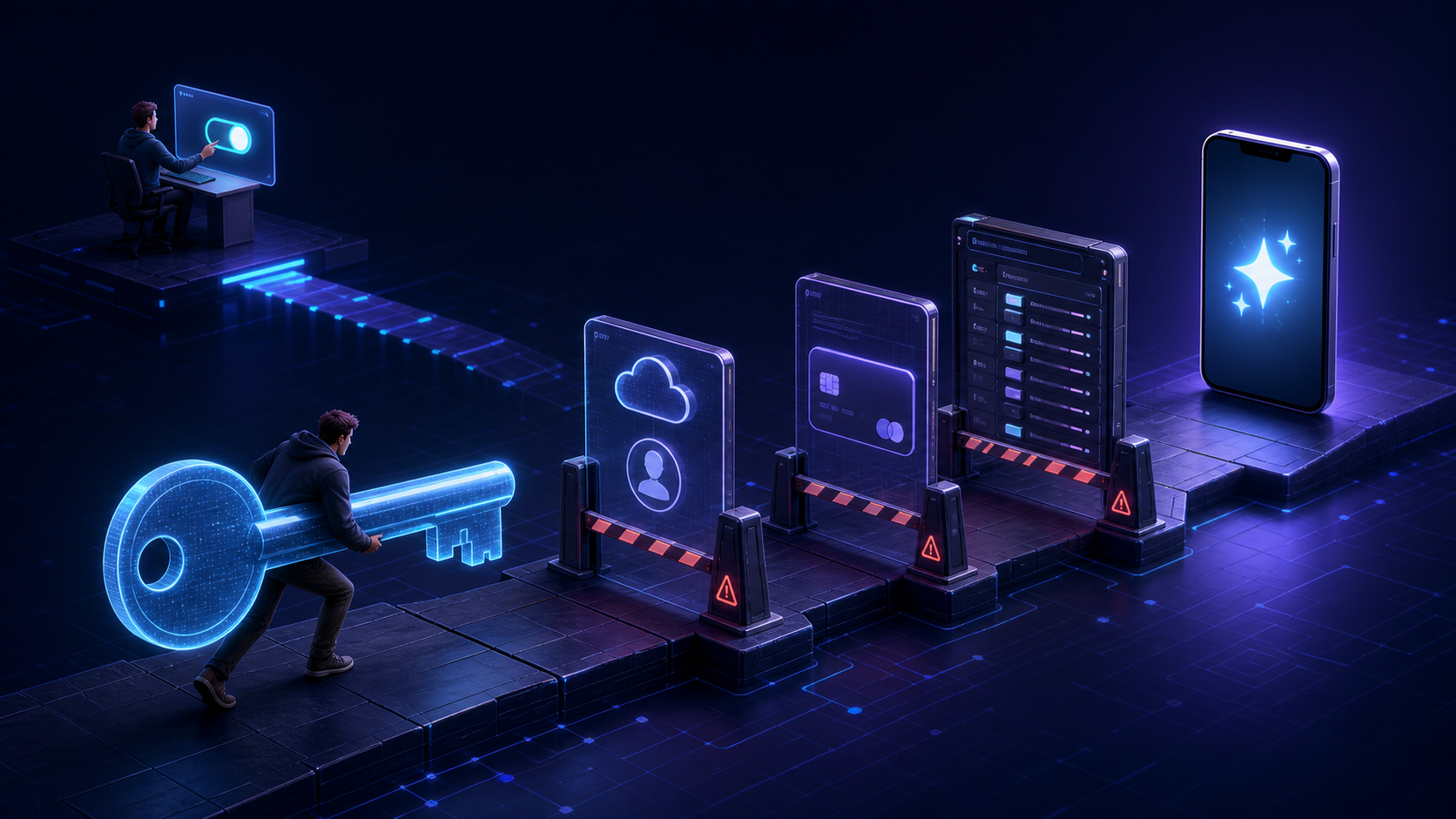
Imagine downloading a receipt scanner. Before it can scan a receipt, it asks you to leave the app, create a cloud developer account, configure billing, generate a secret credential, and paste it into a settings screen.
Or imagine a meeting-notes app that cannot summarize your first recording until you choose an AI provider, understand its API pricing, and decide which model identifier belongs in another form field.
That is the experience many mobile apps create when they require bring your own key, or BYOK.
The architecture is appealing to developers for understandable reasons. BYOK keeps a shared provider key out of the shipped app, makes users pay for their own model usage, and avoids building a backend.
But for an ordinary mobile user, BYOK is actively hostile onboarding. It makes someone solve the developer’s infrastructure problem before they can experience the product.
Users did not download an API console app
The person downloading a mobile app usually has a job to do. They want to summarize a document, identify a plant, transcribe an interview, plan a meal, or organize their notes.
They did not arrive wanting to learn the distinction between a consumer AI subscription and developer API access.
That distinction appears almost immediately in a BYOK flow. A user may already pay for ChatGPT Plus or Claude Pro and reasonably assume that payment includes an API key. OpenAI says ChatGPT and API billing are managed separately. Anthropic likewise treats Claude subscriptions and API Console usage as separate products.
So “enter your API key” can actually mean:
- Create or reconfigure a provider account.
- Find a developer console the user has never seen.
- Add a payment method or purchase credits.
- Create a project or organization.
- Generate a credential.
- Copy it without accidentally exposing it.
- Return to the app and paste it correctly.
- Select a supported model.
- Work out why the first request still failed.
That is not one onboarding step. It is a scavenger hunt across two products.
BYOK delays the moment of value
Every product asks the user for some effort. Good onboarding makes that effort feel proportionate to the value waiting on the other side.
BYOK reverses the sequence. The user must invest time, trust, and potentially money before seeing whether the AI feature is any good.
Each additional screen creates another reason to leave:
- “Why does this app need a secret key?”
- “Does my existing subscription cover this?”
- “Will I be charged twice?”
- “Which model should I choose?”
- “What is a token?”
- “Why does the app say my quota is unavailable?”
Technical users may answer those questions quickly. Everyone else is being asked to qualify themselves as an API customer before becoming an app customer.
The user receives a second, unpredictable bill
Consumer software is usually priced in units people understand: free, one-time purchase, monthly subscription, or annual subscription.
Provider APIs are commonly priced by usage. The cost may depend on the model, prompt length, response length, images, audio, tool calls, caching, or other implementation details.
That flexibility is useful for developers. It is not a friendly consumer price tag.
A user can now have two separate payment relationships: one with the mobile app and another with the AI provider. If the app also charges, the user may wonder why they must pay twice. If the app is free, the user still cannot easily know what using it will cost.
The developer may have eliminated an unpredictable infrastructure bill by giving each customer their own unpredictable infrastructure bill.
The app asks users to handle a secret
An API key is not a harmless preference. It authorizes usage against an account and may be connected to billing and quota.
Google’s Gemini documentation says a compromised key can consume project quota and create unexpected charges. It advises developers not to expose API keys in production mobile apps. OpenAI similarly says API keys should not be exposed in client-side code.
In BYOK, the credential belongs to the user rather than the app developer. That reduces the size of any one compromise, but it does not make the credential disposable.
Secure platform storage helps. iOS Keychain and Android Keystore are appropriate places to protect sensitive values at rest. But the mobile app must still retrieve a usable key when it makes a direct provider request. On a device controlled by an attacker, runtime inspection, compromised dependencies, logs, clipboard history, backups, or a rooted environment can create other exposure paths.
Even if the technical implementation is careful, the product has asked a customer to copy a valuable secret between services and trust that everything in the path handles it correctly.
Provider failures look like app failures
A BYOK request can fail because the key is malformed, expired, revoked, restricted to the wrong service, attached to a project without billing, out of credits, over quota, or not entitled to the selected model. Availability may also differ by account or region.
The app developer may have no access to the user’s provider account and no definitive way to diagnose the problem.
That distinction does not matter much to the user. They tapped a button in the app, and the app failed.
The resulting support experience is often a chain of guesses:
- Check the key again.
- Check billing in another dashboard.
- Confirm that the correct API is enabled.
- Try a different model.
- Wait for a quota reset.
- Contact the provider instead.
The architecture drew a clean technical boundary. The user’s experience does not respect it.
“No backend” can create privacy confusion
A direct-to-provider design can keep the app developer out of the data path. That is a real privacy benefit when the developer never receives a user’s prompts, photos, recordings, notes, or responses.
But “no backend” does not mean “nothing leaves your device.”
The selected content still goes to OpenAI, Anthropic, Google, or another cloud provider. Retention, logging, training, geographic processing, and account controls may differ by provider and plan.
When an app supports several BYOK providers, its privacy story may change according to a settings choice. The user should not have to infer that from a key-entry screen.
Choice is not always control
BYOK is often presented as giving users control. For technical audiences, it can. Users may choose a preferred model, direct billing to their own organization, or select a provider whose policies they trust.
For everyone else, a list of providers and models is not control. It is an unresolved product decision.
Real user control means understanding the available choices and their consequences. Presenting infrastructure settings without that context transfers responsibility without necessarily creating agency.
BYOK has an audience—but it should not be the default for everyone
BYOK makes sense in developer tools, open-source clients, internal applications, and products made for AI power users. In those contexts, entering a key may be expected and provider flexibility may be central to the product.
It becomes user-hostile when the app is aimed at people who should never need to know which model performs the feature.
A consumer should not need a cloud developer account to use a journal. A student should not need to understand token pricing to summarize a reading. A small-business owner should not need to rotate credentials to scan an invoice.
The test is simple:
If users would not understand why they need an API key, the product should probably not require one.
Previous: BYOK in Mobile Apps: Why Developers Choose It. Next: The Hidden Costs of BYOK in Mobile Apps.